Your website can be beautifully designed, well-written and easy to navigate — but if it loads slowly, many visitors will never see any of it. They tap your link, stare at a blank screen for a few seconds, and quietly go back to Google to try your competitor instead.
This guide explains, in plain English, how fast your business website should load, how to run a website speed test yourself, and what actually makes sites slow — plus the fixes that matter most.
Why speed matters more than most owners realise
Visitors judge your website almost instantly. When a page takes too long to appear, most people don’t wait politely — they assume something is broken and leave. Every slow page is a quiet leak in your business: fewer phone calls, fewer contact forms, fewer people even seeing your services.
There are three reasons speed deserves your attention:
Your customers are on their phones. Most people will first meet your business on a mobile, often on a patchy train connection or café Wi-Fi. If your site only feels fast on your office broadband, you’re not testing what your customers experience.
Google notices too. Page speed is one of Google’s ranking factors, especially on mobile. A slow site won’t automatically ruin your rankings — good content still matters most — but when you and a competitor are otherwise equal, the faster site has the edge.
Slow pages earn less trust. A site that loads in a blink feels professional and dependable. A site that stutters feels neglected. Visitors make that judgement about your business before they’ve read a single word.
A slow website doesn’t just annoy visitors — it quietly sends them to your competitors.
So — how fast should your website load?
Google’s own yardstick is called Core Web Vitals, and its headline measure is Largest Contentful Paint (LCP): how long it takes for the main content of a page to appear. Google calls an LCP of under 2.5 seconds “good”. That’s a sensible target for a business website.
In practice, aim for this: your important pages should be visibly complete within about 2 to 3 seconds on a mid-range phone. Under 2 seconds is excellent. Past 4 seconds and you’re firmly in the danger zone where visitors start giving up.
One honest caveat: don’t chase perfection. Getting from 5 seconds down to 2.5 is hugely worthwhile. Getting from 1.5 seconds down to 1.0 usually isn’t worth the effort and cost — your time and money are better spent elsewhere.
Your visitors barely notice any loading at all. This is where you want to be.
A solid, professional experience. Most well-built business sites sit here.
Visitors are leaving. Make speed a priority, starting with the fixes below.
What slows most business websites down
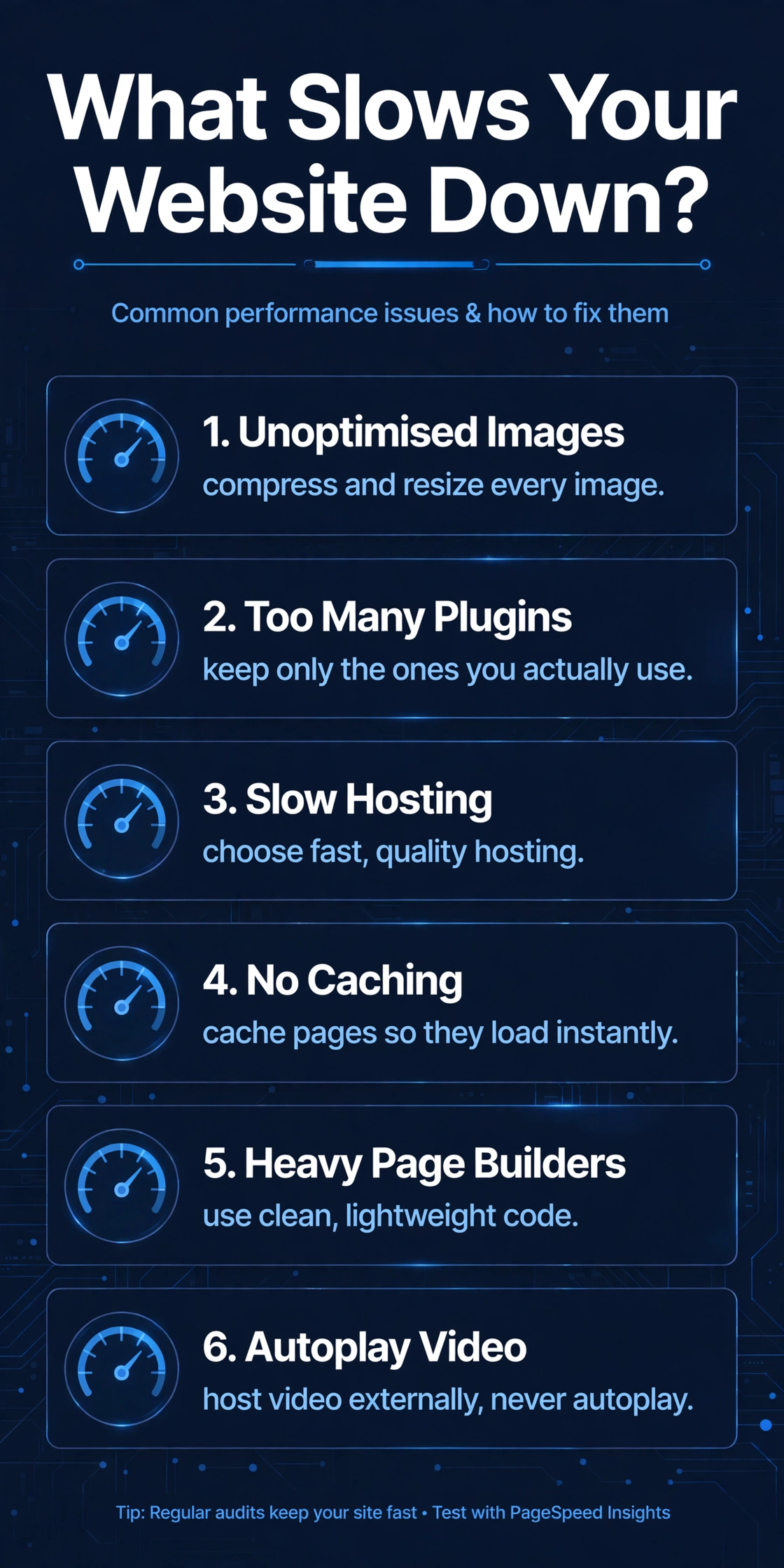
Almost every slow business site we see is held back by the same handful of culprits. Here they are, with the fix for each — the short version is in the infographic below.
Unoptimised images. Photos straight from a camera or a stock library can be several megabytes each. A handful of those on one page can double its load time. Compress and resize every image before it goes on your site.
Too many plugins. Every plugin adds code that has to load. Sites accumulate them over the years — three different slider plugins, two contact forms, a social feed nobody looks at. Keep only the ones you actually use.
Slow or cheap hosting. Your hosting is the foundation everything else sits on. Budget shared hosting is often the single biggest bottleneck, and no amount of optimisation can fix a server that responds slowly.
No caching. Without caching, your server rebuilds every page from scratch for every visitor. With it, repeat visitors get pages served instantly. It’s one of the easiest big wins available.
Heavy page builders and bloated themes. Some website builders produce pages carrying far more code than they need. A page that looks simple can be hauling megabytes of scripts behind the scenes.
Autoplay video and animations. Full-screen background videos look impressive but are enormously heavy, especially on phones. Host video externally (or drop the autoplay) and the page gets dramatically lighter.
How to run a website speed test yourself
You don’t need a developer to find out how your site is doing. Start with PageSpeed Insights (pagespeed.web.dev): type in your website address and run the test. It’s free, it’s from Google, and it tests both mobile and desktop — pay most attention to the mobile score.
Test your most important pages, not just the homepage: your contact page, your main service pages, and any page you send advertising traffic to. Then run each test twice — the first can be skewed by a cold cache — and trust the average.
Finally, check on a real phone. Lab tests are optimistic; a mid-range phone on a mobile connection shows you what a real customer sees on the train.

Start with Google’s free tool
Go to PageSpeed Insights (pagespeed.web.dev), type in your website address, and run the test. It’s free, it’s from Google, and it tests both mobile and desktop. Pay most attention to the mobile score — that’s what your customers use.
Test your most important pages
Don’t just test your homepage. Test your contact page, your main service pages, and any page you send advertising traffic to. A site can have a fast homepage and painfully slow inner pages.
Run it twice
The first test can be skewed by a cold cache or a momentary blip. Run the test again and compare — if the two results are close, you can trust them.
Note the three numbers that matter
Ignore most of the technical detail and focus on three measures:
- LCP (Largest Contentful Paint) — how long until the main content appears. Under 2.5 seconds is good.
- INP (Interaction to Next Paint) — how quickly the page reacts when someone taps a button. Under 200 milliseconds is good.
- CLS (Cumulative Layout Shift) — how much the page jumps around while loading. Under 0.1 is good. If buttons keep moving as visitors try to tap them, that’s CLS.
Check on a real phone
Lab tests are optimistic. Borrow a mid-range phone, switch off Wi-Fi, and load your site on a mobile connection. What you see there is what a real customer sees on the train.
A fast, reliable site that performs well on mobile matters far more than a perfect score in a lab test. The goal is happy visitors, not a green badge.
Quick wins: speed fixes worth doing first
If your test shows your site is slow, start with these. Most are free or cheap, and together they often make a dramatic difference.
Convert photos to modern formats like WebP and resize them to the size they’re actually displayed at. This alone can halve a page’s weight.
A caching plugin serves saved copies of your pages instead of rebuilding them every time. One of the biggest easy wins.
Audit your plugin list and delete anything you don’t actively need. Fewer plugins, less code, faster pages.
Images and videos further down the page shouldn’t load until the visitor scrolls to them. Most modern sites can do this automatically.
Every font family and weight is another download. Stick to one or two families and only the weights you use.
Test your homepage speed with and without autoplay video. The difference usually settles the argument.

When quick fixes aren’t enough
Sometimes you do all of the above and the score barely moves. That usually means the problem is structural: a bloated theme, a page builder generating mountains of code, or hosting that simply can’t keep up. At that point, tweaking is throwing good money after bad — the honest answer is a proper rebuild of the slow parts, or a new foundation entirely.
That’s exactly the kind of decision a professional audit is for. And if you do need help, we work to a firm fixed price once we understand your project — from a Level 1 speed tune-up, through a Level 2 targeted rebuild of problem pages, up to a Level 3 or Level 4 full site rebuild when the foundations need replacing.
Frequently asked questions
How often should I test my website’s speed?
Every few months is plenty, plus any time you make significant changes — a redesign, new plugins, or a batch of new images. Speed tends to decay slowly as sites accumulate clutter, so a regular check keeps it honest.
Will a faster website rank higher on Google?
Speed is one of many ranking factors, and it matters more on mobile than desktop. A faster site gets a genuine edge, but speed alone won’t rescue thin or poor content. Think of it as removing a handicap, not buying a trophy.
Is my website speed the same for every visitor?
No. It varies with the visitor’s device, their connection, and how far they are from your server. That’s why testing on a mid-range phone with a mobile connection is the most honest check — it represents your least forgiving visitor.
Can I fix website speed myself, or do I need a developer?
The quick wins above are genuinely DIY-friendly if you’re comfortable in your website’s admin area. Structural problems — bloated themes, slow hosting, messy code — need a professional. A good rule: if two rounds of basic fixes haven’t moved the needle, get an expert opinion before spending more time.
Not sure how fast your website really is?
Get a free 15-minute website audit — we’ll run a full speed test on your site, show you exactly what’s slowing it down, and tell you which fixes matter most. No jargon, no obligation.


