If you’ve ever received a website maintenance invoice and thought, “What did they actually do this month?” — you’re not alone. Website maintenance is one of the most misunderstood costs in the digital world. Most business owners either pay for it without knowing what it covers, or refuse to pay for it and learn the hard way what “it” was.
This guide explains, in plain English, what genuine website maintenance includes, what it usually doesn’t, and how to tell whether you’re getting value for money.
Why websites need maintenance at all
A website is not a finished product the way a brochure is. It’s software — a living system of code, plugins, databases, server configurations and integrations that interact with an internet that changes every single day.
Left alone, a website slowly degrades:
- Software ages. WordPress, its plugins and themes release updates constantly — security patches, compatibility fixes, new features. Skip them and the site becomes vulnerable and, eventually, incompatible with itself.
- The environment changes. Web browsers update, hosting companies migrate servers, Google changes how it ranks pages. A site that was fine last year can quietly develop problems this year.
- Content drifts. Links break, images get removed from their sources, opening hours change, staff move on. A site that isn’t touched starts telling small lies about your business.
- Attackers probe. Automated bots scan the internet around the clock looking for outdated software. A business website with a known vulnerability will be found — it’s a matter of when, not if.
Maintenance is the ongoing work that keeps the site healthy, secure, fast and accurate. Think of it like servicing a car: nothing may look broken, but skipping the service is exactly how expensive breakdowns happen.
What genuine website maintenance includes
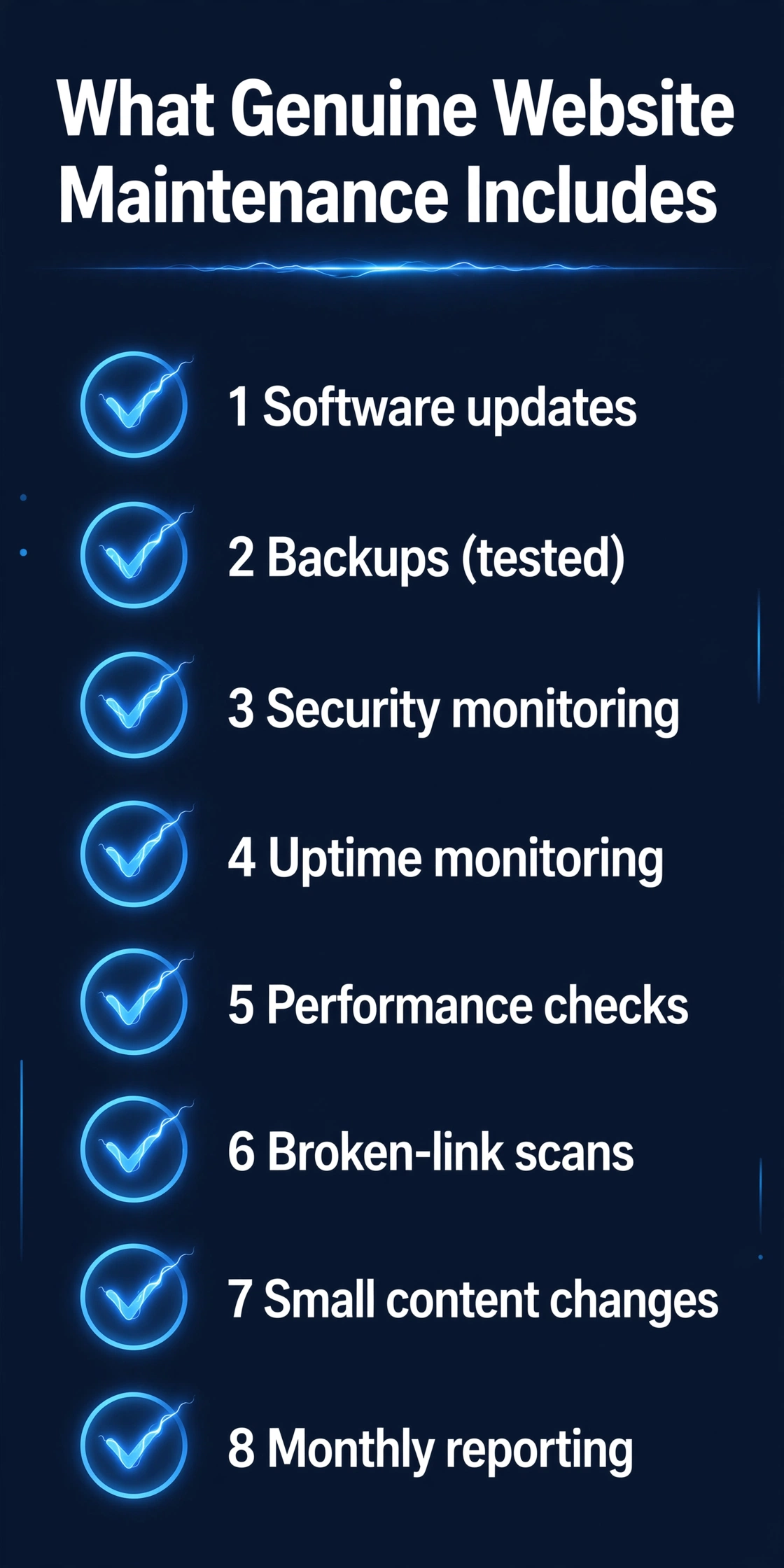
A proper maintenance arrangement should cover most of the following. If your provider’s invoice doesn’t map to at least the first five, it’s worth a conversation.
1. Software updates
The core platform (WordPress, for most small-business sites), themes and plugins all need regular updates. This isn’t clicking “update all” blindly — a good provider tests updates first, because updates occasionally conflict with each other and break layouts or functions. Updating carefully, in the right order, with a backup in place, is the single most important maintenance task.

2. Backups
Your site should be backed up regularly and automatically, with copies stored somewhere separate from your hosting. A backup you can’t actually restore is theatre. Proper maintenance includes periodically testing that backups work, and knowing exactly how the site would be recovered after a hack, a failed update or an accidental deletion.
3. Security monitoring
Maintenance includes keeping an eye on the site: watching for malware, failed login attempts, suspicious file changes and blacklisting warnings. Tools like Wordfence (which we install for our own clients) can automate much of this — but someone still needs to read the alerts and act on them.

4. Uptime monitoring
Your site should be checked automatically, around the clock, so that if it goes down, someone knows within minutes — not when a customer complains. Uptime monitoring is cheap and simple, and it’s one of the easiest things to verify: ask your provider what service they use and what happens when the site goes offline.
5. Performance checks
Sites get slower over time — databases accumulate cruft, image uploads aren’t optimised, new plugins add weight. Maintenance includes periodic checks on loading speed and quick fixes to keep the site running fast, because slow sites lose visitors and rank worse on Google.
6. Broken links and errors
Regular scans for broken internal and external links, missing images and pages that return errors. These accumulate silently and make a site look neglected to both visitors and search engines.
7. Small content changes
Most maintenance plans include a modest allowance of minor updates — changing a phone number, updating opening hours, swapping a team photo, fixing a typo. It’s the “keeping the site truthful” work that businesses need constantly but never have time for.
8. Monthly reporting
You should receive a short, readable report: what was updated, what was fixed, uptime figures, security status. If your provider can’t tell you what they did, that’s a problem — regardless of what the invoice says.
What maintenance usually does NOT include
Just as important is knowing the boundaries. Standard maintenance does not typically include:
- A redesign or new design work. Refreshing layouts, adding new sections or changing the brand look is project work, not maintenance.
- New functionality. Adding a booking system, an online shop or a members area is development, and it will be quoted separately.
- Content creation. Writing new blog posts, producing videos or running your marketing is a separate service.
- SEO campaigns. Maintenance keeps the site technically healthy (which supports SEO), but an active campaign to rank higher is its own thing.
- Major troubleshooting from neglected updates. If a site hasn’t been touched in two years and an update breaks everything, recovering it is repair work — which is precisely what maintenance is designed to prevent.
None of this is a criticism. But the line should be clear in writing before you sign anything.
Maintenance plans vs pay-as-you-go: which is better?
Both models exist, and both are honest if they’re priced and scoped properly.
A monthly plan spreads the cost. You pay a predictable amount, and the provider handles everything proactively — updates, backups, monitoring, small changes, reports. This is almost always cheaper and calmer than the alternative, because prevention is cheaper than repair.
Pay-as-you-go means you call when something breaks. There are no fixed costs, but when a hack or a failed update takes your site down, you’re paying emergency rates — and losing business in the meantime. This is the equivalent of never servicing your car and then paying for the tow truck.
For a business that depends on its website for enquiries or sales, the plan almost always wins. For a site that’s genuinely dormant, pay-as-you-go may be fine — but be honest with yourself about which category your site is really in.
The DIY question: can’t I just do it myself?
You can, to an extent — and some owners do perfectly well. Updating a small, simple site, taking backups and changing content is learnable. But be realistic about what it actually costs you:
- Time. Maintenance is small amounts of work done consistently — exactly the kind of work busy owners keep postponing.
- Risk. Updating a plugin that conflicts with your theme at 11pm with no backup is how a site goes down the night before a big launch. Providers update in a safe sequence with a restore plan.
- Attention. Security alerts, uptime pings and broken-link reports only help if someone reads them. If that someone is you, in between running your business, they will get skimmed.
The honest maths: if your hour is worth more than the maintenance costs, and the alternative is doing it yourself inconsistently, paying a professional is the better deal.
Red flags: how to spot a bad maintenance deal
A few warning signs worth watching for:
- No reports, ever. If you never hear what was done, assume less was done than you think.
- “Unlimited everything” for a tiny fee. Maintenance is real labour. Suspiciously cheap plans usually mean updates are automated with no human oversight — fine until the one time it isn’t.
- They can’t explain what you pay for. Any provider should be able to tell you, in plain language, what’s included. Jargon soup is a red flag.
- No backup strategy. If they can’t tell you where your backups live and how a restore would work, they don’t have one.
- Pressure to sign long contracts with no exit. Maintenance is an ongoing relationship. You should be able to leave.
- Updates that break the site, repeatedly. Occasional conflicts happen; constant ones mean updates aren’t being tested first.
What good maintenance is worth to your business
Forget the invoice for a moment. What you’re really buying is:
1. A site that doesn’t get hacked — or one that’s recovered in hours, not weeks. 2. A site that’s fast, accurate and always online — the quiet foundation every marketing effort depends on. 3. Time back. Every hour you don’t spend wrestling with updates is an hour running your business. 4. Predictability. One known monthly cost instead of surprise emergency bills.
If your maintenance delivers those four things, it’s doing its job. If it doesn’t, the problem isn’t that maintenance is a waste — it’s that your maintenance is.
How we think about it at Altus
We keep it simple and honest: a firm fixed price once we understand your project, so you know exactly what you’re paying for before anything starts. Our care plans run on a clear Level 1–4 framework — from essential updates and backups through to sites that need proactive monitoring and regular content changes — matched to how much your business actually depends on its website.
No mystery, no jargon, no invoice you can’t understand.
Frequently asked questions
Do I need maintenance if my site is new? Yes — arguably most of all. A new site is at its most vulnerable and its fastest. Maintenance protects the investment you’ve just made.
What happens if I cancel my maintenance plan? You keep your website. Maintenance is a service, not a lease. We’ll hand over everything — logins, documentation, backups — and the site keeps working. It just stops being watched.
Can I switch maintenance providers? Yes, though the new provider will want to audit the site first — they’ll check the platform, the plugins, the hosting and the current state before taking responsibility. That’s a good sign, not a barrier.
Isn’t website maintenance just for big companies? No. Small businesses are targeted by automated attacks just as much as large ones — bots don’t check company size. And small businesses feel the cost of a broken site more, not less.
How do I know if my current maintenance is actually happening? Ask for the monthly report, the backup location, and what was last updated. A good provider answers in minutes. A bad one answers with jargon.
Get a straight answer about your site
If you’re paying for maintenance and not sure what you’re getting — or you’re not maintaining your site at all and want to know the risk — we’ll give you a straight, no-jargon assessment. Book a free 15-minute website audit and we’ll tell you exactly where your site stands.


