You’re paying for clicks. Ads, social posts, email campaigns — they all cost time or money, and they all end in the same place: someone landing on your page. If that page doesn’t persuade them to take the next step, every penny spent getting them there is wasted.
A landing page has one job. Whether it’s “book a call”, “request a quote” or “buy now”, the entire page exists to move a visitor toward that single action. Most business landing pages fail not because the design is ugly, but because they try to do everything at once and end up doing nothing well.
These seven rules are what separate landing pages that convert from landing pages that just sit there. They work for trades businesses, schools, service companies, and online shops alike — because they’re about how people actually make decisions, not about design trends.
Rule 1: One page, one action
The most common landing page mistake is the crowded page. The headline says “Book your free consultation”, but the navigation offers six other pages, there’s a newsletter signup in the sidebar, three different services are promoted, and the footer asks visitors to follow on social media. The visitor arrived with one question — “should I take this step?” — and left with twelve options and no answer.
Decide the single action your page exists to drive, then remove everything that doesn’t serve it. Strip out the main navigation or trim it to the bare minimum. Delete the newsletter box, the social feed, the “you might also like” links. Every link on a landing page is an exit door — lock the doors.
Don’t ask visitors to “call, email, or message us” — pick the one channel you respond to fastest and make it the star. One clear action, repeated confidently down the page, beats a menu of options every time.
Rule 2: The headline must match the promise
Think about how your visitor arrived. They clicked an ad or a link that promised something: “Free website audit”, “Get a quote in 24 hours”, “Book your school’s demo”. The first three seconds on your page are spent checking one thing — did I land in the right place?
If your headline says something different from the ad or link they clicked, trust breaks instantly. They don’t read further to work it out. They hit back.
Be specific. “We help businesses grow” is not a headline — it’s wallpaper. Specificity is what makes a visitor think “this is for me”.

Rule 3: Answer the objection before they feel it
Every visitor arrives with a quiet list of doubts: Will this work for a business like mine? Is it going to cost a fortune? How long will it take? If those doubts go unanswered, they don’t ask — they leave.
The fix is to handle objections in the order visitors feel them. Early on the page, prove relevance (“Built for UK trades businesses”). Further down, address risk: guarantees, no obligation, what happens if they’re not happy. Near the form, remove the last friction: “Takes 60 seconds”, “We’ll reply within one working day”, “No spam, ever”.
You don’t need to guess what your visitors worry about. Look at the questions your calls and emails are full of — “how much?”, “how long?”, “do you work with businesses like mine?” Answer each one on the page before the visitor has to ask.
Rule 4: Show proof, not adjectives
“We’re the best.” “Cutting-edge.” “Market-leading.” Every business says it, which means it persuades no one. Adjectives are free and visitors know it.
Proof costs you something — and that’s exactly why it works. Real proof takes several forms:
Numbers with context. “Helped 120+ UK businesses launch new websites” beats “experienced team”. Specific numbers beat round ones.
Real reviews. Genuine Google or Trustpilot reviews with names and businesses attached. Anonymous testimonials (“J. from London”) persuade no one.
Before and after. For web design, the old site next to the new one. For trades, the problem and the fix. Transformation is the most persuasive proof there is.
Your face and your story. A photo of the actual person or team and a line about who you are — it makes the page human and the promise believable.
Place proof early — not buried at the bottom. By the time a visitor scrolls halfway, they’ve already half-decided. Proof near the top tips them over.

Rule 5: Make the form feel effortless
The form is where conversions die. Every field you add is a small tax on the visitor’s patience, and the total adds up fast. The rule is simple: ask for the minimum you need to start the conversation — usually a name, an email or phone number, and one line about what they need. Nothing else.
A few specifics that matter more than people think:
Label every field clearly. Placeholder text that vanishes when you click is not a label. Visitors forget what the field was for, and on mobile it’s genuinely confusing.
One column, top to bottom. Multi-column forms look tidy and convert worse. Eyes read down, not across.
Make the button say what happens. “Submit” is the worst button text in existence. “Get my free audit”, “Book my consultation” — the button should complete the sentence “I want to…”.
Reassure next to the button. One line — “We’ll reply within one working day. No spam, ever.” — can lift completions more than any redesign.
And when the form is submitted, don’t leave the visitor staring at a dead page. A clear thank-you message saying what happens next (“We’ll call you tomorrow morning”) turns a conversion into the start of a relationship.
Rule 6: Design for the thumb, not the desktop
More than half of your visitors will read your landing page on a phone, often while doing something else. Yet most landing pages are designed on a big monitor, approved on a big monitor, and only checked on a phone as an afterthought.
Design for the phone first:
The headline, one proof point, and the call-to-action button must fit on the first screen without scrolling. If a mobile visitor has to hunt for what to do, you’ve lost them.
Buttons must be big and thumb-friendly. A tiny text link buried in a paragraph is not a call to action.
Kill the pop-ups. A pop-up on a landing page is an interruption on top of an interruption. On mobile it’s infuriating.
Speed is a conversion feature. Every extra second of load time costs you visitors. Compress images, drop the fancy animations, and test the page on a real phone over mobile data — not just on office wifi.
If your landing page only looks good on a desktop, it only converts on a desktop. And that’s the smaller half of your traffic.
Rule 7: Test one thing at a time, then trust the numbers
Here’s the uncomfortable truth: nobody can tell you with certainty which headline will convert better for your business. Not us, not a guru on YouTube, not your most opinionated friend. The only honest answer comes from testing.
The good news is that testing doesn’t have to be complicated. Change one thing — the headline, the button text, the main image, the form length — run both versions for a couple of weeks (or until a few hundred visitors have seen each), and keep the winner. Then test the next thing.
Three things that make testing work:
Only test pages with enough traffic. If your page gets 20 visitors a week, you won’t learn anything for months. Test the pages that matter most first.
Change one thing at a time. Redesigning everything and seeing conversions go up tells you nothing about what worked — you’ll never be able to repeat it.
Decide in advance what winning looks like. “More form submissions” is a goal. “The new headline wins if it gets 15% more submissions over 300 visitors” is a test.
Most small businesses never test at all, which means even basic testing puts you ahead. You don’t need expensive software to start — you need discipline and patience.
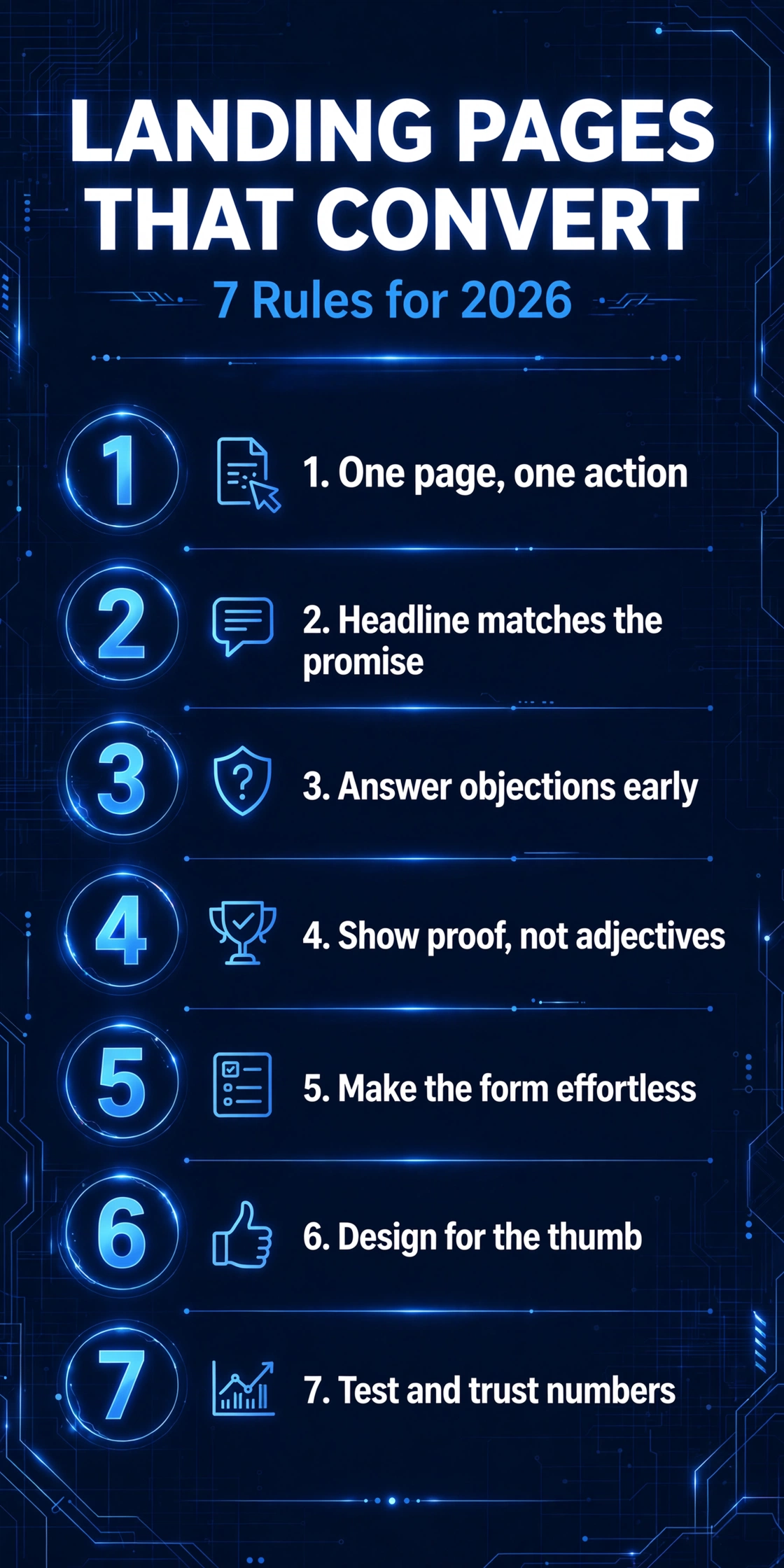
Putting it together: the anatomy of a page that converts
Apply all seven rules and your landing page looks like this, top to bottom: a headline matching the promise that brought the visitor, with the call to action visible on the first screen; proof near the top, not buried; the offer explained in plain terms; objections handled and risk reversed; a short form with a button that says what happens; and a final call to action for the scrollers who made it to the bottom.
Nothing on that list is expensive or technically difficult. It’s all about discipline: one page, one action, one clear promise, proven honestly.
Frequently asked questions
How long should a landing page be?
Long enough to answer every objection, short enough that no section feels like filler. For a simple offer (a free audit, a quote request), a single screen plus a short scroll is often enough. For higher-commitment actions, visitors need more proof and detail — the page earns its length.
Should a landing page have navigation?
Ideally, no. Every navigation link is an exit door. If you must include links, keep them minimal and in the footer, never competing with your call to action.
What’s a good conversion rate for a landing page?
It varies by industry and offer, but as a rough guide: 2–5% is typical for a general small-business landing page, while a tightly targeted page with a strong offer can reach 10% or more. Rather than chasing a benchmark, focus on improving your own number month over month.
Do I need a separate landing page for each ad campaign?
Yes, whenever the promise differs. If one ad offers a free audit and another offers web design services, those visitors have different expectations and need different pages. Sending both to your homepage is the most common — and most wasteful — landing page mistake.
The bottom line
Landing pages don’t convert because they’re beautiful. They convert because they’re focused: one action, one promise, proven honestly, with every objection answered and every bit of friction removed. Get the fundamentals right and the design almost takes care of itself.
If your website is getting traffic but not enquiries, the landing page is the first place to look — and the fastest thing to fix. We offer a free 15-minute website audit where we’ll look at your key pages and tell you exactly what’s holding them back.
Ready to turn more visitors into enquiries? Book your free 15-minute website audit and get honest, expert advice on your next step.


