On Wednesday 21 October 2026, the PHP project released emergency security updates for two of the most serious vulnerabilities ever found in the language — flaws so severe that Europe’s cybersecurity agency warned some organisations to consider taking their websites offline rather than leave them exposed. The pair of bugs, now known collectively as “PHP2Shell”, allow an attacker to take over a web server completely — without a username, without a password, and without the website owner having done anything wrong.
If your website runs on WordPress, WooCommerce, Drupal, Joomla, Magento or almost any other popular platform, it runs on PHP. That means this story is very likely about your website too. In this article we explain, in plain English, what PHP2Shell is, which websites are affected, whether attacks are already happening, and the exact steps you need to take today to make sure your site is safe.
What exactly is PHP2Shell?
PHP2Shell is the shared name for two critical vulnerabilities in PHP itself, tracked as CVE-2026-109618 and CVE-2026-109619. Each one carries a severity score of 9.2 out of 10 on the CVSS scale — close to the maximum possible.
Both flaws are what security researchers call unauthenticated remote code execution (RCE). Broken down:
- Remote code execution means an attacker can run their own code on your web server — the digital equivalent of handing a stranger the keys to your office, your filing cabinets and your safe.
- Unauthenticated means they do not need to log in first. No stolen password, no tricked staff member, no phishing email. The attack works against the server itself, from the open internet.
Once an attacker can execute code on a server, they can read or change the database (including customer records), plant hidden backdoors, redirect your visitors to scam pages, send spam from your domain, or quietly sit inside your system and wait. For an online shop, that can mean stolen payment details. For any business, it can mean a devastating loss of customer trust.
The vulnerabilities were discovered by security researchers at Wiz and Calif, who used advanced AI systems to hunt through PHP’s code — code that, in places, has been running the web for more than a decade with these flaws hidden inside it. The bugs affect virtually every PHP release going back to PHP 5, released in 2004. Technical details leaked on 20 October, a day before the planned announcement, which forced the PHP team to rush out emergency patches on 21 October.
Why this vulnerability is different from the usual warnings
Website owners hear about security updates every week, and most can safely be handled by routine maintenance. PHP2Shell is different, for three reasons.
1. The flaw is in PHP itself, not in any plugin or theme. The bug sits underneath WordPress, underneath your plugins, underneath your own code. A website can be perfectly built, fully updated and beautifully maintained — and still be vulnerable, because the problem is in the engine that runs everything. WordPress’s own team has confirmed that no WordPress update is required or planned for this issue, because no WordPress update can fix it. Only a PHP update can.
2. The scale is enormous. PHP powers roughly three-quarters of all websites whose technology can be identified — around 24 million sites by one widely used count. WordPress alone runs more than 40% of the web, and every one of those sites depends on PHP.
3. The risk is highest exactly where small businesses are most exposed. The danger is greatest on servers running PHP through Apache’s mod_php — a very common shared-hosting setup — where the attack can be triggered before your website’s own code even starts running, so no plugin or security tool inside WordPress ever gets a chance to stop it.
Is your website affected? The version check that matters
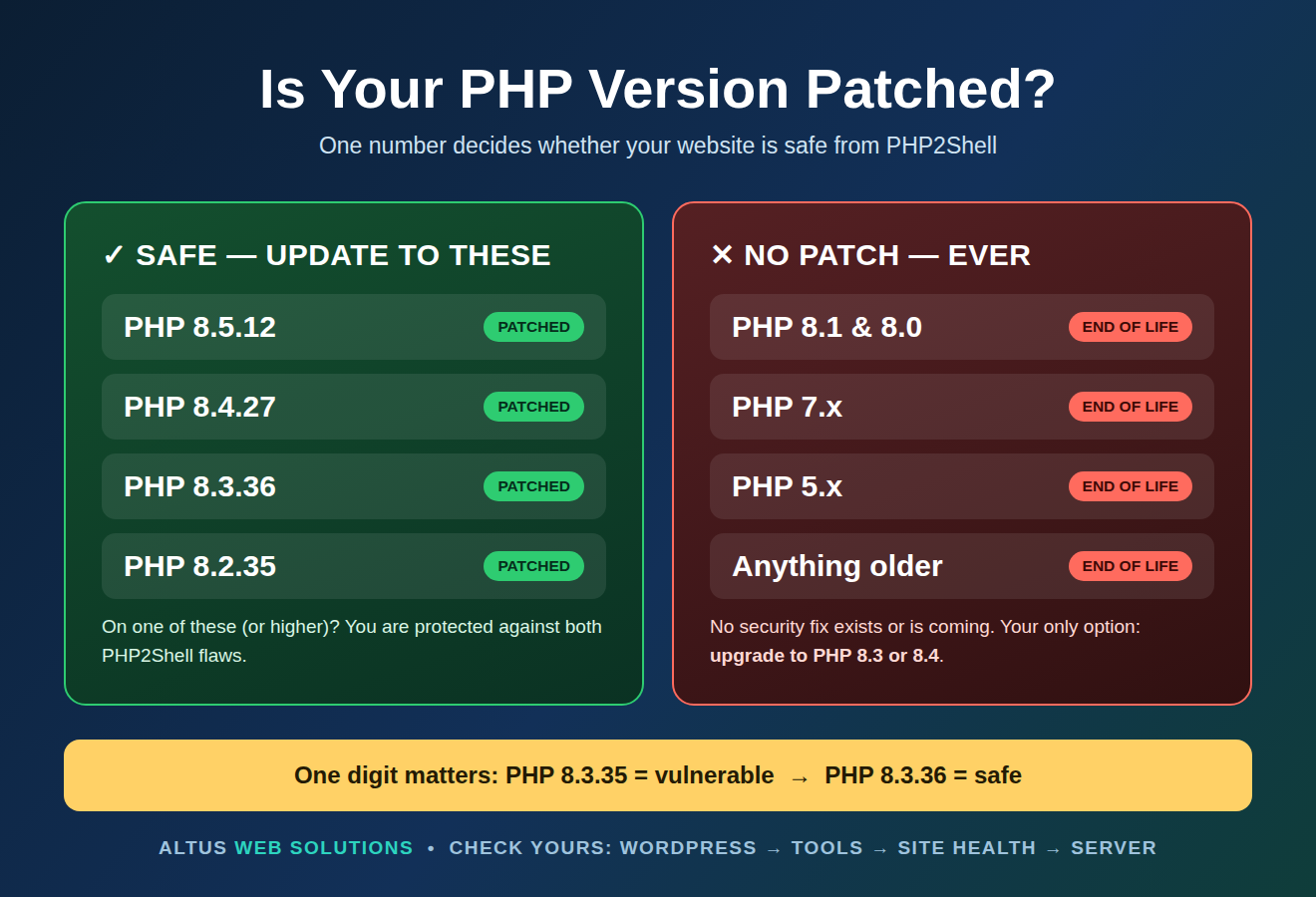
Everything depends on one number: which version of PHP your server is running. The PHP team only maintains the 8.2, 8.3, 8.4 and 8.5 branches, so patches were released for those branches only:
| Your PHP version | Status | What you must do |
|---|---|---|
| 8.5 (below 8.5.12) | Vulnerable | Update to PHP 8.5.12 |
| 8.4 (below 8.4.27) | Vulnerable | Update to PHP 8.4.27 |
| 8.3 (below 8.3.36) | Vulnerable | Update to PHP 8.3.36 |
| 8.2 (below 8.2.35) | Vulnerable | Update to PHP 8.2.35 |
| 8.1, 8.0, 7.x, 5.x | Vulnerable — no patch exists | Upgrade to a supported branch (8.3 or 8.4 recommended) |
| 8.2.35 / 8.3.36 / 8.4.27 / 8.5.12 or higher | Patched | No action needed for these two flaws |
Read that fifth row again, because it is the trap many businesses will fall into: if your site runs PHP 8.1 or older, there is no security patch for you — and there never will be. Those versions are end-of-life. Your only fix is a proper upgrade to a supported PHP branch, which should be tested first because older themes and plugins occasionally break on newer PHP versions. In our own audits this week we have already found live business websites sitting exactly one small update short of safety — running PHP 8.3.35 when the patched release is 8.3.36. One digit makes all the difference.
Are attacks already happening?
Yes — but with an important dose of calm. Cloudflare, which sits in front of millions of websites, reported seeing exploit attempts before the patches were even public: thousands of attempts early on, rising to millions within a day of the announcement. Attackers know that millions of site owners will patch slowly, and they are scanning the internet for the ones who do.
At the same time, follow-up analysis on 22 October brought the temperature down. Security firm Sansec, which specialises in e-commerce protection, found that the publicly circulating exploit code does not work against a standard, default PHP installation — a successful attack appears to need specific knowledge of, and specific conditions on, the target server. Their advice is the right balance: you do not need to panic or take your website offline — but you do need to update PHP anyway. Attackers improve their tools quickly, and “harder than expected” is not the same as “safe”.
Government agencies are treating it with full seriousness. The UK’s National Cyber Security Centre, the EU’s CERT-EU and Australia’s Cyber Security Centre all issued urgent guidance to patch immediately — CERT-EU went as far as saying organisations that genuinely cannot patch should consider taking the affected system offline until they can.
How to check your own PHP version in two minutes
If your site runs WordPress, you can check right now without any technical help:
- Log in to your WordPress dashboard.
- Go to Tools → Site Health, then click the Info tab.
- Open the Server section and look for “PHP version”.
- Compare it with the table above. If it is below the patched number for your branch — or it starts with 8.1, 8.0, 7 or 5 — your site needs attention today.
You can also find the PHP version in your hosting control panel (usually under “PHP settings”, “MultiPHP Manager” or “Select PHP version”). If you cannot find it, ask your host directly: “Which PHP version is my site running, and has it been updated since 21 October 2026?” A good host will answer immediately — most reputable shared hosts apply these branch updates automatically, but “usually” is not a guarantee, and it is your business that carries the risk.
The five steps that protect your website
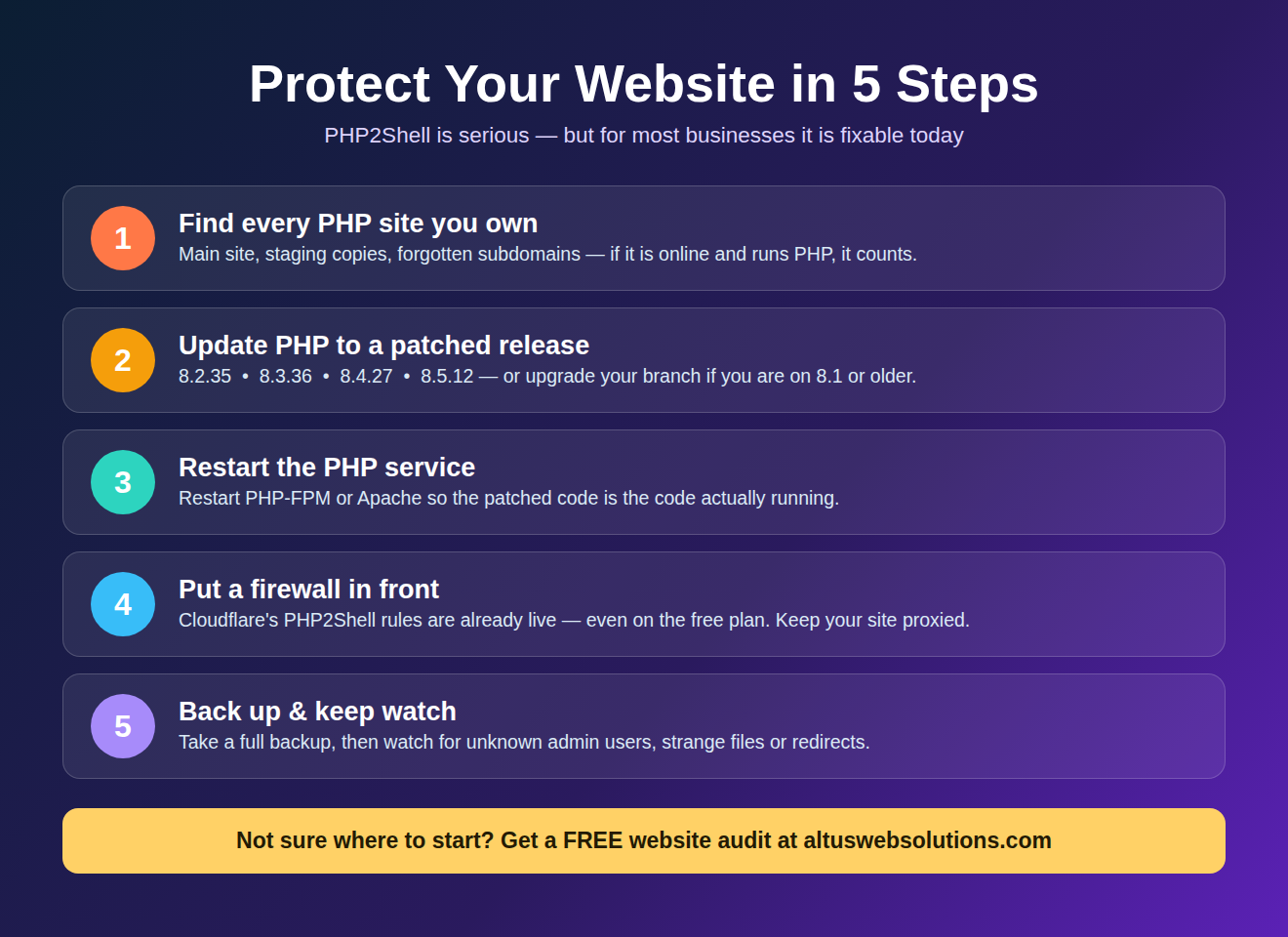
Step 1 — Find every PHP site you own. Not just your main website: old staging copies, forgotten subdomains, a test shop you built two years ago. Attackers love forgotten installs. If it is reachable from the internet and runs PHP, it counts.
Step 2 — Update PHP to a patched release. Move to 8.2.35, 8.3.36, 8.4.27 or 8.5.12 (or higher) through your hosting panel or ask your host/developer to do it. If you are on 8.1 or older, plan a branch upgrade to 8.3 or 8.4 — and test on a staging copy first if your site uses older plugins.
Step 3 — Restart the PHP service. After updating, the web server process must be restarted (PHP-FPM or Apache) so the patched code is actually the code that is running. On managed hosting your host does this for you; on your own server, do not skip it.
Step 4 — Put a firewall in front. If your site sits behind Cloudflare, make sure it stays proxied — Cloudflare has already rolled out protective rules against PHP2Shell to both its paid and free plans. Other reputable web application firewalls have done the same. A firewall is a seatbelt, not a substitute for the patch, but it buys you protection while you update.
Step 5 — Back up, then watch. Take a full backup once you are patched, and keep an eye on your site for anything unusual over the coming days: new admin users you don’t recognise, changed files, strange redirects. If you spot any of those, treat it as a potential incident and get help immediately.
What we are doing at Altus Web Solutions
We started auditing the moment the patches landed. Every website we host or look after under a care plan is being checked for its PHP version, updated to a patched release where needed, and re-verified afterwards — because “the host probably updated it” is not a standard we accept for our clients’ businesses. Several sites we reviewed in the wider audit were indeed still one release behind, including shops taking real orders. They are patched now.
This is exactly why ongoing website care matters. A vulnerability like PHP2Shell gives you no warning, no grace period and no credit for having a beautiful website. The only protection is someone actively watching, checking and updating — every week, not once a year.
Frequently asked questions
Does updating WordPress fix PHP2Shell?
No. The flaws are in PHP, the layer underneath WordPress. WordPress’s own team has confirmed no WordPress update can fix them. Keep WordPress updated for other reasons — but for this, only the PHP update counts.
My hosting company hasn’t said anything. Am I safe?
Not necessarily. Many hosts patch silently and quickly; others wait for customers to select the new version in the control panel. Silence is not confirmation. Check your version yourself using the Site Health steps above — it takes two minutes.
Should I take my website offline?
For almost every business, no. Current analysis shows the attack is difficult against standard setups, and the patch is quick to apply. Taking a trading website offline costs real money. Patch promptly instead — going offline is a last resort for organisations that genuinely cannot update.
I am on PHP 8.1 (or older). Can I just wait for a patch?
There will not be one. Versions below 8.2 are end-of-life and no longer receive security fixes. Upgrading PHP is now unavoidable maintenance — and honestly overdue, because older branches miss every future security fix too, not just this one.
How do I know if my site has already been attacked?
Warning signs include admin accounts you didn’t create, files you don’t recognise, visitors being redirected elsewhere, or your site suddenly sending spam. A clean, up-to-date site with no odd behaviour is very likely fine — but if you see any of these signs, get a professional to inspect the site before doing anything else.
The bottom line
PHP2Shell is one of the most serious web security events in years: two flaws, each rated 9.2 out of 10, in the software that runs most of the world’s websites, with attackers already scanning for victims. It is also — for most businesses — completely fixable today, with a single PHP update. The businesses that get hurt by events like this are rarely the ones with bad websites. They are the ones where nobody was checking.
Not sure which PHP version your website is running, or what to do about it? That is precisely the kind of thing we handle for our clients every week. Get in touch with Altus Web Solutions for a free website audit — we will check your PHP version, your security setup and your update status, and tell you plainly what needs doing. No jargon, no scare tactics — just a clear answer about whether your website is safe.


